







Your new service page is live, customers can open it, and Google Search Console says “Crawled – currently not indexed”. Should you rewrite it, change a setting or wait?
Start by checking whether the page matters commercially and what Google actually saw. The status confirms a crawl without indexing; it does not identify a single cause. Google’s Page indexing guidance says the message is common and does not necessarily indicate a problem requiring attention.
For a page that explains an important service or helps customers choose a product, investigate. For an incidental URL with no useful search purpose, getting it indexed may achieve nothing.
What does “Crawled – currently not indexed” mean?
Google has fetched the page but has not included it in its index. This differs from “Discovered – currently not indexed”, where Google knows the URL but has not crawled it yet. It also differs from a page that is indexed but ranks poorly.
The message alone does not prove your writing is poor, your website needs rebuilding or your business has received a penalty. It gives you a starting point for investigation, rather than a repair instruction.
Our recommended approach is to examine a small group of important affected pages, identify a shared problem where one exists, and make a specific change you can check afterwards.
Choose the pages worth investigating first
Open the affected URL examples and choose three to five pages that support something you actually sell. This is a manageable investigation sample, not a Google requirement.
For each page, write down its intended customer, the question it answers and the next useful action. “Commercial boiler servicing for facilities managers” gives you a clearer brief than “another page to bring in traffic”.
Compare those pages with one or two similar pages that are indexed. Ask:
- Were the affected pages launched together or built from the same template?
- Do they describe genuinely different services, or repeat one offer under several headings?
- Can a customer reach them through a relevant service or category page?
- Do they provide enough information to decide whether an enquiry is worthwhile?
Keep the investigation centred on these URLs. A lower total of excluded pages is a weak success measure if your main service page remains absent.
Compare Google’s recorded crawl with the live page
Inspect the complete URL in Search Console. Google’s URL Inspection documentation distinguishes the recorded index information from the live test. The live test checks current access and indexability; a successful result does not guarantee indexing.
Record the last crawl date, whether fetching succeeded, whether crawling and indexing were allowed, and any canonical information available. Then run Test live URL. Where available, View tested page provides the returned HTML, a screenshot and resource information.
Look for the information customers need
Check whether the tested page contains the actual service description, product information and useful links. If the screenshot shows a page frame but the important content is missing from the returned or rendered HTML, give that evidence to your developer.
For example, a service description might appear in your browser after an interaction while the tested version lacks it. Ask the developer to establish why the content is absent before commissioning a rewrite. A technical delivery problem needs a technical repair.
If the recorded crawl predates your latest changes, keep those dates together. You cannot assess the effect of a revision from a crawl that happened before it existed.
Follow the evidence when the diagnosis changes
A live test might reveal a current access restriction or an unintended indexing instruction. Fix that confirmed fault. If another page has been selected as canonical, follow our guide to Google choosing a different canonical rather than treating every excluded URL as the same problem.
Ask your developer for a short explanation of what failed, which pages share the cause and how the repair was verified. “We installed an SEO plugin” does not answer those questions.
Give the page a useful job of its own
Once access and content delivery look sound, review the page as a prospective customer. Google’s people-first content guidance asks whether content offers original information, substantial value and a satisfying answer. It also explicitly says Google has no preferred word count.
Use that as a review framework, not a diagnosis of why one URL was excluded. Adding paragraphs simply to make the page longer gives you little to evaluate.
Consider a hypothetical joinery business with a fitted-wardrobe page. “Quality craftsmanship at competitive prices” tells a buyer very little. A useful revision could explain:
- Which room shapes and installation constraints the business can accommodate.
- How measurements, design approval and fitting work.
- What affects a quotation, including materials, internal fittings and access.
- Which photographs or measurements help the team assess an initial enquiry.
- Relevant examples of its own completed work, shared with permission.
These are editorial suggestions for that example, not facts about a BuzzBoost client. The right evidence will differ for an accountant, retailer or engineering firm.
Keep every claim supportable. Do not add invented projects, accreditations, reviews or delivery promises to make a page seem more substantial.
If two pages serve the same customer need, review whether both deserve to exist separately. Before merging or removing either, check their existing visits, enquiries and links and agree how customers will reach any replacement.
Connect the page to the rest of your website
A page may be available through its exact address while remaining awkward to find during a normal customer visit. Review the route from your main navigation, service overview or relevant category.
Google’s link best practices recommend linking to each important page from another page on the site. They also explain that ordinary HTML links with an href give crawlers a reliable route to a URL.
For the joinery example, an overview of fitted furniture could link naturally to fitted wardrobes. A relevant project page could point readers towards the same service. Link wording should describe the destination clearly.
Because Google has already crawled the affected URL, an extra link does not explain or automatically resolve its exclusion. Treat this work as improving navigation and context, then check what happens.
Avoid paying for the wrong fix
Repeated submissions are not a substitute for a diagnosis. Google’s recrawl guidance says requesting the same URL repeatedly will not get it crawled faster. Requests have a quota, crawling can take days to weeks, and inclusion is not guaranteed.
After a meaningful repair or improvement, you can request indexing for a small number of priority URLs if you have the required access. Keep an accurate sitemap for wider discovery. Neither action makes an unsuitable page eligible by itself.
Be equally careful with a proposal to “increase crawl budget”. Google’s current crawl-budget guide primarily addresses large or rapidly changing sites, and sites with substantial discovery backlogs. A crawl already recorded for a small business service page is not evidence that buying more hosting capacity will solve its indexing status.
Ask a supplier to connect any proposed spend to an observed fault. For broader help assessing technical and content priorities, see our SEO services.
Check the outcome against your original evidence
Keep a simple record of the selected URLs, their original status, crawl dates, changes made and release dates. Agree a review date with whoever owns the work; treat it as a checkpoint, not a promised Google deadline.
At that review, inspect the same URLs again. Look for a crawl after the change and check their current index status. If the page becomes indexed, assess relevant search impressions, visits and enquiries separately. Indexing alone does not establish a ranking or a commercial return.
If several important pages remain excluded, return to the comparison: what do they share, what differs from indexed pages, and what evidence is still missing? Escalate a pattern with example URLs and dated test results, rather than another request to “submit everything again”.
If an entire site remains affected after a full investigation, Google’s Page indexing guidance provides a route to report a suspected indexing issue. Reserve that for a supported case.
Need help deciding whether your missing service pages need a technical repair, stronger content or a different structure? Talk to BuzzBoost with the affected URLs and what Search Console reports. We can help you identify a practical next step.
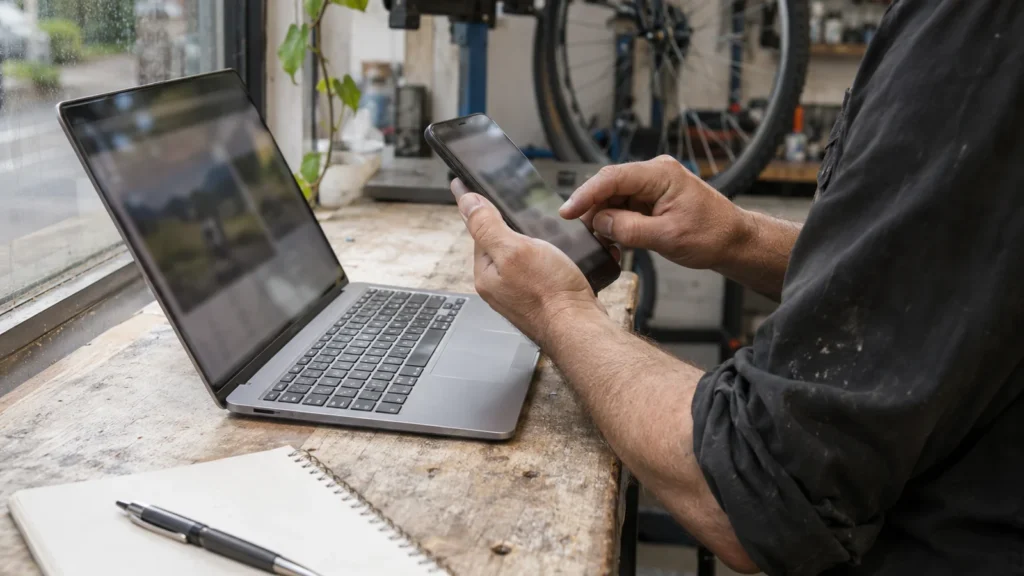
Featured image: AI-generated editorial artwork, not a photograph of a real BuzzBoost office, client or result.