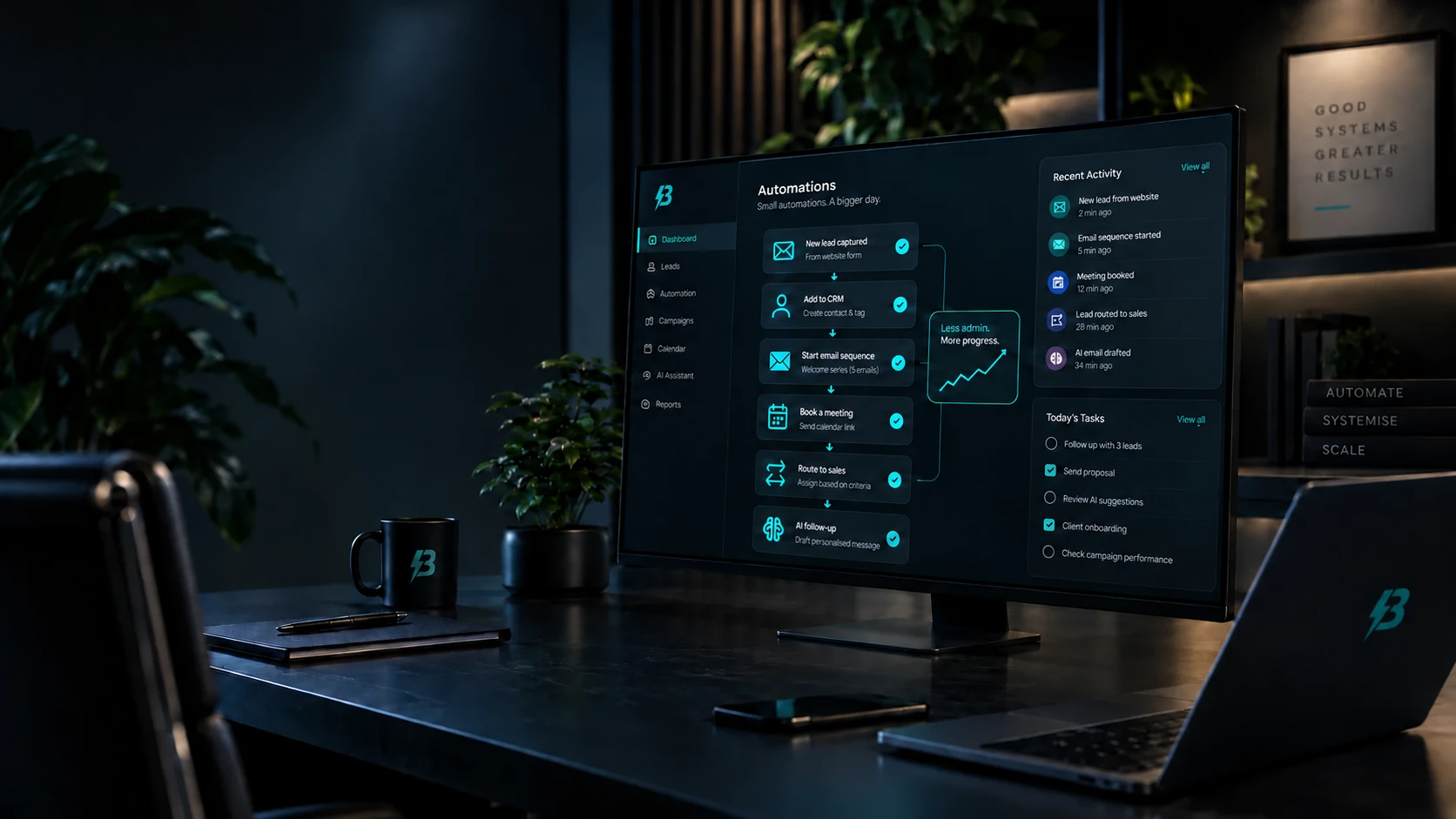

Most conversations about automation start too big. Someone describes a system that runs the whole business, decides it is a six-month project, and nothing happens. Meanwhile the same person is still copying enquiry details out of an inbox into a spreadsheet every morning.
The automations that actually get built and kept are much smaller than that, and much more boring. They are worth doing anyway.
The key idea
Automate the handovers between your tools, not the work itself. A handover is well defined, the rules rarely change, and the cost of doing it by hand stays invisible until you add it up.
The work worth automating is the handover
Software tends to be good at the thing it was bought for and indifferent to what happens next. Your form collects an enquiry. Your CRM wants that enquiry. Your calendar wants the meeting. Your accounting tool wants the invoice. Each tool does its own job, and the gaps between them get filled by a person doing the same small task over and over.
Those gaps are where automation earns its place. The task is well defined, the rules rarely change, and nobody has to agree on anything new for it to work.
Three handovers almost every business has
If you want somewhere concrete to start, these three turn up in nearly every small business we look at. None of them needs a new platform.
Enquiry to record
Someone submits your contact form. Instead of the details sitting in an inbox until a person retypes them, the form writes a record straight into your CRM with the name, the email address, the message, the page the enquiry came from and the date. The person still reads it and still decides what to do; they just do not have to type it twice.
The page the enquiry came from is the field people leave out and later wish they had. It is the difference between knowing you got eleven enquiries last month and knowing which page produced them.
Enquiry to acknowledgement
A short automatic reply that confirms the message arrived, says when a human will respond, and names the person who will respond. This is worth doing carefully rather than quickly. An acknowledgement that reads like a receipt is fine. One that pretends to be a personal reply is not, and people can tell.
Signed proposal to project set-up
When a proposal is accepted, a predictable set of things has to happen: a folder gets created, a kick-off gets booked, a checklist gets copied, someone gets told. Each step is trivial and the whole sequence is easy to half-forget in a busy week. It is the most satisfying of the three to automate because the trigger is unambiguous — the proposal was signed, or it was not.
Practical example
A two-person consultancy takes enquiries through a website form. Before: the form emails a shared inbox, and whoever sees it first copies the details into the CRM, replies by hand, and adds a reminder to follow up. Three tools, five minutes, and the follow-up is the step that gets dropped.
After: the form creates the CRM record and sends a plain acknowledgement, and the CRM raises a follow-up task for the named owner. The reply a human eventually writes is still written by a human. What changed is that nothing now depends on somebody remembering.
This is a description of a shape of problem, not a case study, and there are no figures attached to it because none would be honest ones.
How to find yours in a week
You do not need an audit for this. For one week, write down every task you do more than twice that involves moving information from one place to another. Do not filter the list while you are making it — the filtering is what stops people finishing it.
At the end of the week you will usually have a handful of items that happen daily and take a few minutes each, and one or two that happen weekly and take longer.
Then rank them by how often they happen, not by how annoying they are. Frequency is what compounds; annoyance is what shouts. The weekly job that infuriates you may be worth less than the daily one you stopped noticing years ago.
Where to start
- Keep the list for a full week, including the quiet days.
- Write down the tools at both ends of each handover, not just the task.
- Sort by how often it happens, then by how long it takes.
- Pick the top item that you could switch off tomorrow without anyone being stuck.
- Build only that one, and use it for a fortnight before building anything else.
Start with something reversible
The first automation should be one you could turn off tomorrow without anyone noticing a problem. A notification when a form is submitted. A record created from an enquiry. A file named and filed correctly. These are small enough to trust quickly, and being trusted quickly matters more than it sounds: the reason automation projects stall is almost always that nobody was confident enough to stop doing the manual version alongside it.
Running both for a fortnight is sensible. Running both for six months means the automation failed and nobody said so.
What to do when it breaks
Every automation eventually fails. An API changes, a password expires, a field gets renamed, someone submits an apostrophe in a place nothing expected one. That is normal and it is not an argument against automating. The question is whether the failure is visible or silent.
A silent failure is genuinely worse than no automation at all, because the manual habit has gone and nothing has replaced it. Enquiries stop arriving in the CRM and nobody finds out for three weeks.
So build the failure path at the same time as the happy path, and keep it simple:
- Somebody is named. One person is told when it breaks, by a channel they actually read. A shared inbox nobody owns is not a channel.
- The original survives. If the handover fails, the source data should still be somewhere recoverable — the form submission is still stored, the email still arrives — so nothing is lost while it is fixed.
- Silence is checked. Something should notice when an automation that normally runs daily has not run at all. Absence of failures is not the same as success.
An automation you cannot see failing is not saving you work. It is deferring it, and adding interest.
Keep a person where judgement is involved
Automating a handover is not the same as automating a decision. Moving data between systems is mechanical. Deciding whether an enquiry is a good fit, or how to answer an unhappy customer, is not. The systems that last automate the mechanical part and hand the judgement back to a person with everything already prepared.
There is also a legal edge to this worth knowing about. Since 5 February 2026, the Data (Use and Access) Act 2025 has replaced Article 22 of the UK GDPR with new Articles 22A to 22D. Significant decisions about people made without meaningful human involvement are now permitted more widely, but only with safeguards: telling the person an automated decision has been made, letting them make representations, offering human intervention and letting them contest the outcome. Decisions that rely on special category data, such as health information, remain much more tightly restricted. A human review only counts as meaningful if the person genuinely considers the decision and has the authority to change it; rubber-stamping does not qualify. Most small-business marketing automation sits nowhere near this line, but anything touching credit, eligibility, pricing that materially affects someone, or refusing service is worth checking against the ICO’s current guidance before you build it.
Keeping personal data accurate is a duty too, not just good practice: the accuracy principle in Article 5(1)(d) requires reasonable steps to make sure personal data is not incorrect or misleading, and prompt correction when it is. Syncing the same contact between three systems makes that harder, not easier, which is one more argument for a single destination rather than three.
Where this fits
None of this needs a platform migration. It needs an honest list, a first small win, and a visible failure path. That is how we approach AI and automation work, and it usually runs alongside email and CRM, because that is where most of the handovers live.
If you want a second pair of eyes on your list before you build anything, that is a short conversation rather than a project.