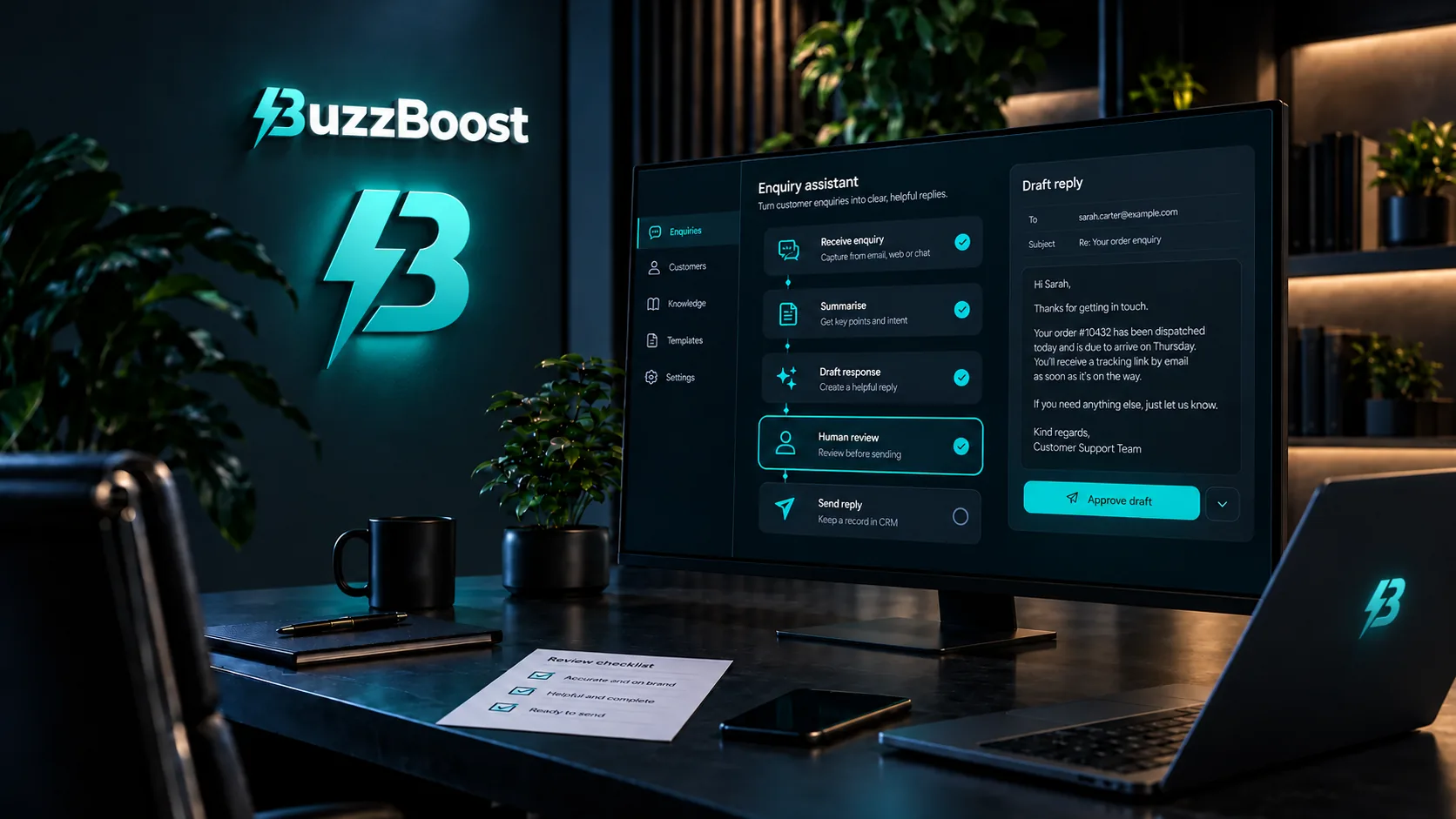

The enquiry inbox is one of the most obvious places for a small business to use AI. The messages are text, they arrive at awkward times, and many of them ask a version of the same five questions. A model that can read, sort and draft is a good fit for that work.
It is also a place full of personal data: names, email addresses, phone numbers, and sometimes far more than that, because people tell you things in an enquiry that they would not put on a form field. That brings duties with it. This article draws that line. It sits alongside small automations that reduce everyday admin, which covers the handovers between tools; this one is about what the AI itself should and should not be doing.
The key idea
Let AI prepare and let a person decide. Sorting, summarising and drafting are good uses. Deciding who gets served, and on what terms, is not a job to hand over quietly.
Three jobs AI does well on an enquiry inbox
Sorting
Reading each enquiry and tagging it by service, urgency and location is repetitive and easy to check. A heating engineer might have AI flag anything mentioning no heat or a leak as urgent, route servicing requests to the booking queue and send general questions to the morning pile. Nobody is refused anything; the right person just sees the right message sooner.
Summarising
Some enquiries run to several paragraphs, or arrive as a long email thread. A two-line summary at the top, with the original underneath, saves time without hiding anything.
Drafting
A first reply drafted from your own information (prices, service area, availability) and left for a person to check and send. This is where most of the time saving is, and it is also where tone and accuracy matter most, which is why the draft should stay a draft.
Where a person should stay in charge
UK data protection law treats significant decisions made solely by automated means, with legal or similarly significant effects on someone, differently from decisions a person makes with help. Since 5 February 2026, the Data (Use and Access) Act 2025 has replaced Article 22 of the UK GDPR with new Articles 22A to 22D. Those decisions are now permitted more widely, but only with safeguards, and decisions that rely on special category data, such as health information, remain much more tightly restricted.
The safeguards are the part that matters for an enquiry inbox. The government’s summary lists information about significant decisions, the ability to make representations and challenge them, and the ability to obtain human intervention. The ICO’s own guidance has not fully caught up: it says its AI guidance is under review because of the Act, and its updated guidance on automated decision-making is still being drafted.
For a small business the practical conclusion is simple. If AI is deciding something that matters to the customer (turning an enquiry down, setting a price, deciding who gets an appointment), a person should make or confirm that decision. Sorting a message into a queue is not that kind of decision. Quietly declining it is.
Check before you switch it on
The ICO is direct about data protection impact assessments. Its guidance says that “in the vast majority of cases, the use of AI will involve a type of processing likely to result in a high risk to individuals’ rights and freedoms”, which triggers the legal requirement to carry one out. For a small business using an off-the-shelf tool on its inbox, that assessment can be proportionate: what data goes in, where it goes, who can see it, what could go wrong and what you will do about it. It does need to be written down.
Using a third-party tool does not move the responsibility. The ICO says that when you buy an AI solution you should conduct an independent evaluation of the trade-offs as part of your due diligence, and that if you cannot assess whether it would be compliant, good practice is to choose a different one. The questions worth asking any provider are simple:
- Where is the data processed and stored, and for how long?
- Is what we send used to train the provider’s models, and can that be switched off?
- Is there a data processing agreement we can sign?
- Can we delete a customer’s data if they ask us to?
Send it the least it needs
Data minimisation is one of the principles of UK GDPR, and it is also good practice for accuracy. If the tool only needs the message text to sort it, do not send attachments, phone numbers or order history with it. Be especially careful with anything that reveals health, finances or other sensitive details; those are better kept out of automated processing altogether unless you have thought it through properly.
Tell people, plainly
If AI reads or drafts replies to enquiries, your privacy notice should say so in ordinary language: what it does, which provider you use, and that a person reviews anything that matters. It does not need to be long. It does need to be true, and it should be updated before the tool goes live, not after.
Keep an eye on it
Models get things wrong in confident-sounding ways, so plan for checking from the start. Read a sample of sorted and drafted enquiries every week for the first month. Keep a note of the mistakes and what caused them. Decide what happens when the tool is unavailable, because every enquiry still needs to reach a person if the automation stops.
Before the first enquiry goes through it
Where to start
- Write down the three jobs you want AI to do, and check that none of them is a decision that matters to the customer.
- Do a short, written data protection impact assessment: what data, which provider, where it goes, what could go wrong.
- Ask the provider the four questions above and keep their answers.
- Send only the fields the task needs, and keep sensitive details out.
- Update your privacy notice before switching it on.
- Put a weekly sample review in the diary for the first month, and a fallback so enquiries still reach a person if it stops.
This is general information to help you plan, not legal advice. If your use of AI goes beyond sorting and drafting, or involves sensitive information, take specific advice.
The safest AI on an inbox is the one whose work a person reads before the customer does.
Where this fits
Good AI and workflow automation follows the same lines: the model prepares, a person decides, and every step is written down. If your enquiries already flow into a CRM, the email and CRM side is usually where the drafted replies end up.
If you are thinking about using AI on your enquiries, we can map what it should and should not do and set it up with the checks in place.