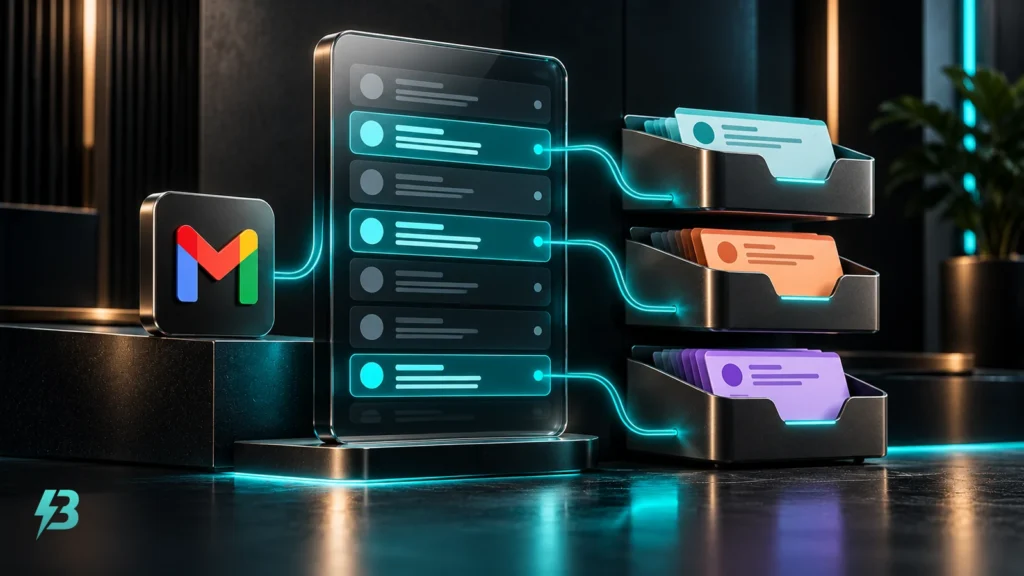

A marketing report can show more conversions while the business receives fewer worthwhile enquiries. The gap often starts with the label: a form submission, telephone-link click and completed sale can all appear as valuable actions, although they represent very different stages.
For a UK business selling through conversations, quotes or appointments, useful conversion reporting connects website activity with the enquiries the team accepts and the work it wins. That means agreeing definitions, keeping a reliable lead record and explaining where platform figures differ from commercial outcomes.
Separate recorded actions from business outcomes
Google introduced the key event terminology in its 21 March 2024 Analytics announcement. In GA4, an event becomes a key event when you mark it as important. That designation does not establish that somebody bought anything.
Google’s current explanation of key events and conversions distinguishes behavioural measurement from conversions used for campaign measurement and bidding. Analytics events can underpin Google Ads conversions through a linked account. Google also warns that its unified conversion management feature is not available to every Analytics property. Check what your property supports before planning around a particular screen.
Your report therefore needs separate measures for:
- Recorded actions: measured website interactions, including successful enquiry submissions.
- Unique enquiries: distinct requests received by the business after removing duplicates and obvious spam.
- Qualified enquiries: requests that meet your agreed commercial criteria.
- Won business: accepted orders or deals, with the value recorded against the agreed sales milestone.
A telephone-link click indicates an attempt to make contact. It cannot, by itself, confirm that the call connected, involved a suitable prospect or produced a sale. Keep the measurement label precise.
Define qualification before comparing channels
Agree a short definition that marketing and the people handling enquiries can apply consistently. Qualification might require the right service, a location you cover, a viable project and enough information to take the next step. Choose criteria that fit how your business sells.
Record outcomes such as qualified, unsuitable, duplicate, spam and awaiting assessment. Give unsuitable enquiries a useful reason: outside service area, wrong requirement or budget mismatch. Keep pending assessments visible so an unreviewed enquiry does not quietly become a failed lead.
Google Ads already supports qualified lead and converted lead goals. Its documentation describes qualification in a CRM or internal lead system. A converted lead represents a chosen later milestone, which can be a sale but need not be. If your milestone is a booked consultation, name it accordingly and report sales separately.
This article concerns measuring the outcome of enquiries. For the operational work of responding to them, see our guide to following up enquiries. Reporting should reveal the handover, including requests still waiting for a decision.
Build a lead record that survives the handover
A modest spreadsheet can support this process if somebody owns it and updates it consistently. A CRM becomes useful when several people manage enquiries, opportunities have multiple stages or manual reconciliation consumes too much time.
Start with one row per enquiry and a stable internal reference. Record the received date, acquisition source where known, campaign where available, requested service, qualification status and reason, stage dates, outcome and sales value. Link related opportunities explicitly when one enquiry produces several pieces of work.
Preserve the origin and the later outcome
Capture campaign information when the enquiry arrives, rather than relying on somebody remembering it weeks later. Campaign parameters and, where appropriate to the tracking method, advertising click identifiers help preserve the connection. Google’s GCLID implementation guidance describes saving the Google click identifier alongside the prospect record for later offline reporting.
Keep an unknown-source category. A customer’s answer to “How did you hear about us?” can add context, but distinguish that answer from a measured campaign source. If you cannot connect an enquiry to a channel confidently, leave the uncertainty visible.
Use consistent dates and currency. Report pounds as GBP and state whether commercial values include VAT. Keep quoted value, won value, invoiced revenue and cash received in separate fields; each answers a different business question.
Reconcile the journey before building the dashboard
Choose a completed reporting period and compare confirmed submissions with the records received by your team. Investigate missing entries, repeated events, reopened confirmation pages and enquiries submitted more than once. A button click should not substitute for a submission accepted successfully.
Include telephone and direct email enquiries in the business record too. Keep their origins separate where attribution is uncertain; a website-only report will otherwise omit part of the pipeline.
Then reconcile unique enquiries with qualification decisions and sales outcomes. Track stage changes against the same lead reference. Count a qualification once when the enquiry reaches that stage, rather than every time somebody edits its record.
Check duplicate measurement paths
If a website enquiry is measured by both a Google Ads tag and an Analytics-derived conversion action, identify whether both are contributing to the headline total. Two tracking routes can observe one business action. Document which route supplies your main measure and how the other is used for checking.
When website records and platform figures disagree, diagnose the gap before changing the campaign. Use BuzzBoost’s analytics and reporting service as a starting point for a tracking review where the underlying measurement needs attention.
Send qualified outcomes back to Google Ads carefully
Offline reporting connects later business milestones with advertising activity. Google’s offline conversion guidance recommends enhanced conversions for leads for new implementations. This supplements imported outcomes with user-provided data, such as hashed email information, to help match them to advertising interactions. It does not assess lead quality for you.
The practical dependency is your lead record. Somebody must decide that an enquiry qualified or a deal reached the selected milestone, record when it happened and supply that outcome through the configured import.
Use a currently supported connection. Google’s API conversion documentation dates the deprecation of its older click-conversion upload route from 15 June 2026 and flags restrictions on access without previous upload history. It directs implementations to the Data Manager API. An old integration tutorial may no longer describe the route available to a new setup.
Before using these outcomes for optimisation, check imported records, diagnostics, matching and duplicates against your own enquiry totals. Google’s enhanced conversions for leads setup guidance specifies conversion names, times and matching data, with transaction identifiers recommended for duplicate control. Check the requirements of your chosen method rather than treating an upload as proof of successful attribution.
Choose bidding goals that match the stage you trust
Google’s conversion goal documentation says primary actions can influence bidding when the campaign uses their goal. Secondary actions normally appear in All conversions for observation. There is an exception: a secondary action included in a custom goal can be used for bidding.
Review campaign goals as well as individual action settings. If submissions, qualified enquiries and sales all contribute to a total, that total can mix several milestones from the same opportunity.
A useful approach is to observe a new qualification signal while checking whether updates arrive consistently. Consider changing optimisation once the signal is dependable enough for your campaign. Sporadic sales updates or inconsistent qualification are weak foundations for a bidding decision. Keep earlier stages available for diagnosis without presenting them as additional customers.
Report costs, quality and sales on comparable terms
For each channel or campaign, show spend, unique enquiries, qualified enquiries, won deals and recorded sales value. Calculate cost per enquiry, cost per qualified enquiry and cost per won deal using the relevant stage count. Show qualification and win rates with their denominators stated.
Define the cost basis too. Advertising spend alone produces a media cost measure; including management and creative costs produces a broader acquisition cost measure. Do not compare the two without explaining the difference.
Use enquiry cohorts: group requests by the period they arrived, then track how many later qualify and become sales. Keep that view alongside sales closed during the current month. Otherwise, spend attracting this month’s leads gets compared with wins from earlier months.
Google’s guidance on Analytics-derived conversions explains discrepancies involving interaction dates, conversion dates, counting methods and reporting delays. Align the date basis, reporting time zone, selected actions and conversion windows when comparing figures. Identical-looking totals can still measure different things.
Where lead values are estimated for bidding, label them as estimates and document the calculation. Adding an estimated value to every enquiry does not turn the result into booked revenue. Judge campaign-attributed sales alongside the wider commercial picture, including delivery costs and outstanding opportunities.
Finish each review with a decision
A useful monthly review explains which sources supplied suitable enquiries, where opportunities stalled, what remains unmeasured and which change comes next. Low qualification suggests reviewing audience or offer fit; qualified enquiries with few wins call for a closer look at the sales stages.
Give each action an owner and review date. Keep definitions consistent long enough to compare periods, and note any tracking or qualification changes that interrupt that comparison.
If your reports stop at form fills, contact BuzzBoost Digital to discuss connecting tracking, enquiry records and sales outcomes into a report your business can use.
Featured image: AI-generated editorial artwork, not a photograph of a real BuzzBoost office, client or result.